Android applications
Purpose-built Android apps with a smooth mobile experience, thoughtful features, and a polished interface.
Request this servicePurpose-built Android apps with a smooth mobile experience, thoughtful features, and a polished interface.
Request this serviceβFast, responsive web apps tailored to your workflow, customers, and business goals.
Request this serviceβPractical Windows software designed around the way your team works.
Request this serviceβUseful digital tools and bespoke software that simplify tasks and solve specific problems.
Request this serviceβA clean, mobile-ready shopping experience that helps customers browse, trust, and buy.
Request this serviceβProfessional WordPress sites built for easy updates, responsive browsing, and clear brand presentation.
Request this serviceβEngaging videos shaped around your message, audience, and chosen platform.
Request this serviceβPolished edits, pacing, transitions, and finishing using Adobe Premiere Pro and After Effects.
Request this serviceβAI-assisted video concepts and visuals crafted to make your content stand out.
Request this serviceβClear, expressive voice-over recordings for videos, explainers, ads, and digital content.
Request this serviceβImprove your channel presence with stronger video content, discoverability, and audience strategy.
Explore serviceβBuild a consistent Instagram presence with engaging content and a thoughtful growth strategy.
Explore serviceβCreate short-form content with a clear creative angle and platform-aware publishing strategy.
Explore serviceβStrengthen your brand and community with useful content and a consistent Facebook presence.
Explore serviceβHelp the right people discover your website with clear content and search-focused improvements.
Request this serviceβExplore practical AI workflows and learn how to use modern tools to create and work more effectively.
Request this serviceβ
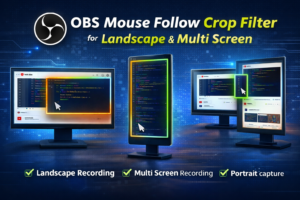
NEWOBS Mouse Follow Crop Filter for Portrait Video Recordingβ
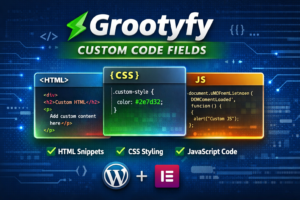
NEWCustom Code: Add HTML, CSS & JavaScript to WP Postsβ
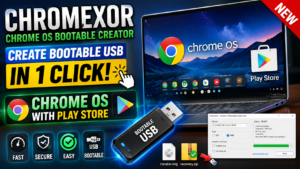
NEWChromexor – ChromeOS Bootable Creatorβ
NEWFree QR Code Generator β Create Custom QR Codes with Logoβ
NEWFree Slowed + Reverb Tool Online | Slow and Reverb Songsβ
NEWUniversal ChromeOS Installer β Install ChromeOS on Any PCβ
NEWRandom Name Generator β Unique Names for Boys and Girlsβ
NEWBill Gates Biography β Life, Career and Success StoryβNotepad++ stands out as a lightweight and feature-rich alternative to traditional text editors. Built on the Scintilla editing component, it offers syntax highlighting for over 80 programming languages, including HTML, CSS, JavaScript, Python, C++, and Java. Its intuitive interface allows users to easily navigate and manage multiple documents through a tabbed browsing system.
The editor is highly customizable, enabling users to change themes, fonts, and colors, as well as define their own language settings for syntax highlighting. With a robust plugin system, Notepad++ can be extended to include additional functionalities such as Git integration and Markdown support. Its performance is optimized for handling large files while consuming minimal system resources, making it suitable for both casual users and professional developers.
Notepad++ is a powerful, open-source text and source code editor designed for Windows. It provides an efficient and user-friendly environment for programming and text editing, making it a favorite among developers, students, and anyone needing a reliable text editor. With its extensive support for various programming languages and a range of customizable features, Notepad++ enhances productivity and coding efficiency.
To run Notepad++, you will need the following minimum system specifications:

BlueStacks is an Android emulator for Windows and macOS that lets you run apps and games on PC with fast performance, smooth graphics, and easy setup.

Sublime Text is a fast, lightweight text editor for code and markup, supporting many languages with a customizable interface, plugins, and advanced tools.
Visual Studio Code (VS Code) is a lightweight, powerful code editor by Microsoft, supporting multiple languages with IntelliSense, debugging, Git, and extensions.
2 thoughts on “Notepad++ β Free Source Code Editor for Windows Notepad++”
bro it’s so cool
thanks